Showing posts with label mobile app development company. Show all posts

Thursday, January 27, 2022

Uploading and Publishing an App to the Google Play Store: Step-by-step Guidance!

You’re finally done with developing an outstanding application and cannot wait to introduce it to the target users! Sounds great! Nevertheless, you are wondering how to execute the subsequent process – uploading and publishing the app on the Google Play Store.

For beginners and novices, this process might seem tricky and confusing. Hence, app creators/owners must be thoroughly aware of the entire process; whether they are doing it themselves or outsourcing the entire project to a mobile app development company.

This post provides step-by-step guidance on how to upload and publish an app to the Google Play Store. So, here we go!

Uploading and Publishing an App to the Google Play Store: Major Steps
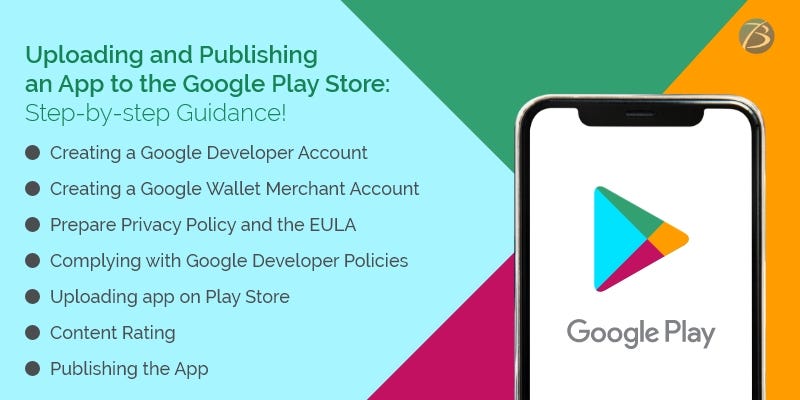
Creating a Google Developer Account using Google Play Developer Console

A developer dashboard is a mandatory prerequisite for uploading an Android app to the play store. For this, use the Google Play console – a type of backend controlling center that enables mobile app developers to submit Android apps to the Play Store. A one-time charge amounting to 25$ has to be paid for opening a developer account. No additional charges are levied while updating apps in the future. Furthermore, the same developer account can be used for publishing several Android applications. The developer account comes with loads of functions and control features and allows free uploading of Google Play Store apps. After the developer account request is submitted, it takes up to 48 hours for getting approved.

Check out the steps for creating a developer account:

  • Creating a Google account: A Gmail ID that will be linked to your Google Developer account.
  • Creating a Google developer account in Google Play Console: You need to log in using Google credentials, and then check the box for accepting the agreement concerning your app’s distribution on Google Play. Thereafter, your Google account gets connected with your developer account, and you are provided the option of publishing the app either with a professional account or your personal Gmail account. You have to log in to the Play Store Console with your preferred account and complete the registration process. Once done, click on the option – “continue to payment.”
  • Configuring Google wallet and paying the registration charges: You need to configure Google wallet, by selecting your country from the list available, paying the Play Store charges for developers, providing the personal information asked for, and mentioning the payment details. Now, you need to pay the Play store charges for developers.
  • Setting up the developer profile: Now, set up a developer profile in your developer console. Information like the name, contact number, and email ID of the developer is to be provided and the developer’s name appears on the app profile. Then, click on “complete registration.

Creating a Google Wallet Merchant Account and linking it to the Google Play Developer Account

You need a merchant account for receiving payments from end-users, in case users have to pay for app downloads, or your app supports in-app purchases. Follow the steps given below for creating a merchant account.

  • Sign in using the developer account
  • Click the “Reports” option provided in the menu
  • Choose “Financial Reports”
  • Tap the option – “Set up a merchant account now”
  • Add the details of your business
  • Click on the option “submit”

Now, the merchant account will be linked to the developer account on Google Play Console and you will be able to effectively manage as well as monitor your app’s sales.

Preparing the necessary Documents

It is advisable to prepare the Privacy Policy and the EULA (End User License Agreement) beforehand. For this, you may either refer to the documents of similar applications or hire a lawyer to do the needful.

EULA

EULA, an agreement between the app owner and the end-users, contains some important information including the dos and don’ts to be adhered to while using the product, intellectual property information, and the licensing charges.

Privacy policy

Privacy policy and terms of use mention the services offered by an app and the user behavior expected, though this aspect is not mandatory as per Google standards. A privacy policy includes the information given below:

  • The app’s functional features – free and paid functionalities
  • A list mentioning all kinds of user data that the app collects, processes, and uses
  • The technical information about the users’ device as well as the installed OS that is collected by the app
  • The presence of specific content and age criteria of users (if any)
  • The terms and conditions concerning the subscription
  • Citizenship/location of a majority of the end-users
  • Location of the app’s copyright holder
  • The place of registration of the brand/business enterprise that owns the app
  • The selected legal standards and legislation that will be followed to regulate legal relations or to resolve disputes

Complying with Google Developer Policies

Remember to ensure that your product is aligned with the requirements mentioned in Google Developer Policies. These policies state the prerequisites you need to follow while building, updating, and promoting an app to stick to the high-end standards of the app store. Your app may be blocked, rejected, and even deleted from the Play Store if any of these policies are violated. Your developer account may even be terminated if several repetitive violations are noticed.

Creating the Application and uploading it on the Play Store

Once, the merchant account is registered, the app can be uploaded on the Play Store, by following these simple steps:

  • Select the option called “All Applications” available in the menu
  • Click on the option, “Add a New Application”
  • Now, select the default language from the options provided in the drop-down menu
  • Add the title of your application and it should not exceed thirty characters
  • Tap on the “create” tab
  • You will be directed to the entry page of the store where you have to fill in the complete information regarding your app.

At this juncture you need to choose from two options- Uploading APK or Preparing Store Listing - for continuing the process of uploading the app on Google Play Store.

Uploading APK (Android Package Kit)

An APK refers to an Android-based file format that is used for storing, distributing, and installing applications on Android devices. You can upload the APK by either browsing or navigating or by the process of dragging and dropping the APK into the box. Here are the steps:

  • Select “Release Management” from the menu and then go to “App Releases”
  • Select the type of release you want for your first release from the options – production release, internal test, open test, or closed test. Opt for production release if the app is to be introduced amongst the mass audience and internal test/open test/closed test, if you plan to test the app amongst a certain group of target users before going to production.
  • Click on the “create release” tab and follow the instructions provided for uploading the APK files

Preparing Google Store Listing

The store listing contains one of the most crucial pieces of information regarding app store optimization and provides the user with comprehensive information about your app before downloading. The must-have sections are marked with an asterisk. This process requires some designing as well as copywriting efforts. And, if the job is well done your app is more likely to be displayed in searches by end-users.

  • A product description (up to 4000 symbols) using the necessary keywords and app title (up to 50 symbols)
  • Screenshots (2-8) depicting the best features of the app
  • Icon, promo videos, and tags
  • App type and categorization
  • Languages supported by the app
  • Contact details of support services – phone number, email addresses, website addresses, etc. – if users need to contact you (up to 4000 symbols)
  • Privacy Policy

Content Rating

Content Rating is needed so that your app doesn’t get marked as an unrated application that might lead to its removal from the app store. For this, you need to provide the required information in a rating questionnaire. The information you provide must be accurate, failing which your app might be suspended or your Play Store account might be removed. Once the survey is finished, tap on “Save Questionnaire”, followed by “calculate rating”, and lastly, click on “Apply Rating”. This confirms your rating and now, you are ready to move ahead with the subsequent process.

Fixing the App Pricing and Distribution

As per Google policies, your app will be published in the selected regions/countries only. Moreover, it is important to assign a pricing policy for your application. Tap on the “Pricing and Distribution” option available in the menu and mention the following particulars:

  • Choose whether your app is going to be free or paid. Remember that you are not allowed to convert free apps to paid apps later, but the price can be changed.
  • Choose the countries where your app will be launched
  • Tap on the option “yes” for “Primary Child-Detected”, if your app content suits children below 13 years of age. Otherwise, select the “NO” option.
  • Mention whether you would like to allow ads into your app

Publishing the App

Now comes the final step – publishing the app to the Play Store!

  • Go back to the “App Releases” tab and choose “Manage Production”.
  • Click “Edit Release” followed by “Review”, and then click on the option “Start rollout to Production”.
  • Then click the tab “Confirm” to successfully end the entire procedure – you’ve uploaded your app to the Google Play Store for free.

Wait for your app to get the store’s approval – the store usually takes two hours to a few days to review your app.

Final Words:

I hope my esteemed readers are now well versed with the entire procedure of publishing an app at the app store. However, your journey doesn’t end here! Your app has to compete with more than 2.9 million apps available at the app store for achieving success. Therefore, you need to invest continuous efforts and devise winning marketing strategies for fulfilling your objective.

If you feel that your in-house resources are not enough to meet these requirements, hire professional assistance. In this regard, Biz4Solutions, a leading IT firm offering competent outsourcing software development services, to global clients; would be a reliable technical partner to choose. Let us know your app model and business requirements. We will help you to create a success story.

To know more about our core technologies, refer to links below:

Flutter App development

Java App Development

RoR App Development

Tuesday, June 1, 2021

Migration of Chat Application from Layer to Firebase

This blog post talks about how we migrated from Layer to Firebase in our existing chat application and what were the challenges we faced during this migration process. It will be quite helpful to mobile app developers while migrating the chat mobile apps or any existing apps with chat functionality. So, let’s look into the detailed process.

We had used Layer Android SDK for integrating chat functionality in one of our new-age messaging apps. This app has features like real-time 1 - 1 and group chatting, audio messages, recalling messages, Facebook messenger integration, payment gateway and military-grade security. The app is about 3-4 years old and is live on play store with a large number of paid users.

Layer provides SDK’s and API’s to implement real-time chat functionality in mobile applications.

It helps to implement real-time 1 - 1 chat and group-chat functionalities. Since, Layer had shut down on October 30th, 2019, we had to migrate our chat functionality on this messaging app to Firebase platform by migrating all old users’ data from Layer to Firebase.

Why we Migrated to Firebase?

The major reason behind migrating from Layer to Firebase is the shutdown of Layer Platform. To keep all the mobile apps with chat feature and chat apps that we developed running properly without any hassle, it was essential to migrate from Layer to another platform. So we chose one of the best platforms- Firebase.

Firebase provides two cloud-based database solutions that are client-accessible and support data syncing in real-time:

1) Cloud Firestore

2) Real-time Database

Cloud Firestore provides better scalability, and performance for web, mobile, and server development from the Firebase framework. It is a cloud-hosted NoSQL database. It can be directly accessed via native SDKs for iOS, Android, and web apps. It is also available in native Node.js, Python, Java, and Go SDKs, along with RPC-based and REST-based APIs.

Cloud Firestore can keep all your data in sync for different client apps with the use of real-time listeners. It can provide offline support for web and mobile for developing responsive apps that can work efficiently despite issues like internet connectivity or network latency.

Migration Steps we Followed:

1) Design Firestore Structure Model:

Cloud Firestore is a NoSQL database and it is document-oriented where the data can be stored in documents that are organized into collections. Each document contains a set of key-value pairs.

We designed the Firestore database structure as per our old data structure present on Layer.

2) Migrate Existing Data from Layer to Firebase:

To migrate chat data from Layer to Firebase, we created a script which helped to fetch data from Layer using Layer APIs and uploaded it to Firestore as per our data structure.

Layer provided data in JSON format and we converted that JSON format data to Collection and Document format.

3) Firebase SDK Integration and Development:

We integrated the Firebase Android SDK to work with Firestore. Then we implemented chat functionality for existing users and for new users as well.

List of Chat Functionalities we Implemented:

1) Basic Chatting Functionalities:

  • Text
  • Image
  • Video
  • Audio
  • Image with Text
  • Video with Text
  • Audio with Text chatting

2) Offline Chat Support

3) Message Features:

  • Search
  • Filter and Sorting
  • Clear All
  • Mark/Unmark
  • Delete

4) Message Settings:

  • Do not view messages older than a certain number of days
  • Automatically download photos and videos (Wifi only/Wifi and Mobile)
  • Automatically save received photos and videos to photo gallery
  • Set maximum video upload size

Challenges we Faced while Migrating from Layer to Firebase:

1) Designing a Proper Data Structure:

Designing a proper data structure in Firestore was a big challenge as we had to consider the smooth working of functionalities like search, sort, filter, unread message count and also ensure that data is stored in Collections and Documents.

2) Migrating Data from Layer to Firebase:

Converting JSON data retrieved from Layer to Firestore in Document and Collection format was one of the challenges we faced. Also, the size of Layer data was quite big which consisted of text, audios, images, and videos. We did this step-by-step by first migrating data of most active users and subsequently all other users.

3) Syncing data from Firestore to Android App Local Database:

Another challenge we faced was about syncing the migrated data from Firestore to the local Android app for both online and offline support, especially when the user opens the app for the first time after migration. Here in some cases where the size of users’ conversation was large, it took quite a bit of time to sync the data.

Hence to overcome this issue, we synced first just the conversation list and after opening actual conversation, synced messages within that conversation.

The Bottom Line:

Due to Layer shutdown, many applications had faced issues with their chat functionality and hence it was necessary to migrate their implementation from Layer to any other platform. As a prominent mobile app development company, Biz4Solutions has good experience not only in chat application development, but also in migrating the chat functionality of existing apps from Layer to a robust platform like Firebase.

So, do you also want to migrate any of your applications from Layer to Firebase? Reach out to us today! We have a team of highly skilled mobile app developers and technical experts trained for solving various critical software solutions.

Monday, March 1, 2021

Key Enterprise Mobility Trends to watch out for in 2021!


 Times are changing and so are the business practices! Traditional office-centric workstations are gradually being replaced by remote workstations that provide employees the flexibility to work remotely using their personal devices and are given access to the required data via the cloud. Also, the practice of mobile-first strategy for business functions is gaining momentum. This mobile-centric and remote working style is an on-going trend and is referred to as enterprise mobility. The key objectives of enterprise mobility are:

  •   Greater agility
  •    Increased employee engagement and efficiency
  •    Enhanced productivity
  •    Reduced expenses
  •    Round-the-clock availability and quick sharing    

A growing number of businesses are adopting this model to boost profitability. However, to reap its benefits, this business model needs to be properly executed through an effective management plan, safety measures, etc.

This article pens down the most trending enterprise mobility practices.

Enterprise Mobility Trends of 2021

Cross-platform approach

Cross-platform app development is increasingly being used in place of native development as it reduces the time-to-market and the cost of developing applications. This is because most of the code written is reusable across multiple platforms. Hence, this approach proves advantageous for developers, mobile app development companies as well as businesses hiring app development services.

BYOD Policy

The BYOD or bring-your-device policy allows employees to use their personal devices like laptops, smartphones, or computers for office work. Therefore, instead of providing devices to employees, the company has to only provide internet connectivity and enterprise-level software to make the employees’ devices function as per the required business standards. This helps the enterprise to save on infrastructure costs. BYOD approach also enables employees to download customized apps for easing out tasks, which in turn leads to greater productivity. However, companies following this model need to make sure that their safety protocol is strictly adhered to when personal devices are configured into their eco-system.

IoT (Internet of Things)

IoT mobility solutions simplify and smarten business operations. Internet of Things or IoT-powered solutions comprises a network of interconnected devices, sensors, etc. possessing unique identifiers (UIDs) that collect and transfer data within the network. Additionally, wireless and cellular technologies allow prompt collection and efficient management of data. Smart healthcare, smart retail, and smart factory are some examples of IoT implementation. Advanced analytics is performed over data that is collected. Inferences drawn from this analytics is used to make informed decisions for the companies.

AI Empowered Functionalities

Artificial Intelligence-powered devices utilize intelligent algorithms to reduce the workload of the human workforce by automating menial and repetitive tasks like customer service processes. This enables employees to concentrate on tasks that need creativity and thought processing, thereby enhancing their productivity. Voice-controlled personal assistants like Alexa for business and chatbots are the commonest examples of AI.

Wearable Technology

The contemporary market is flooded with ingenious wearable devices and so its high time companies should integrate wearables into their workflow. It has the following benefits.

  •  It is portable, easy to use, and can be effortlessly integrated with the corporate workflow.
  •  It is capable of revamping an enterprise’s communication infrastructure.
  •  It provides flexibility to employees and as such enhances efficiency.

Augmented Reality and Virtual Reality

A combination of Augmented Reality(AR) and Virtual Reality(VR) eases out EMM (Enterprise Mobility Management), streamlines business processes, and increases the engagement rate. The AR and VR solutions turn out to be very unique and innovative.  Training pilots, bringing back low vision, and treating patients suffering from autism are some of its applications.

Emergence of Blockchain Technology

Blockchain technology is being used by businesses to implement cost-reduction measures, strengthen their security models, improve the rate of data exchange, and many more such functions to enhance their workflow.

The Beacon technology

Beacon devices refer to battery-operated Bluetooth Low Energy modules. Beacons transmit signals that trigger alerts in all those applications that are connected to them. The Beacon technology proves advantageous for security operations in various sectors as the necessary information is delivered in very little time. Furthermore, the data accumulated via Beacons are analyzed for improving business operations to optimize output.

The Hybrid Cloud

The Hybrid cloud refers to a cloud computing eco-system that is a blend of off-premise public cloud and on-premise private cloud. It executes functions like arranging and managing workflow across two or more computing eco-systems. It helps in carrying out remote functions, managing data, improving scalability, handling security issues, and enables one to quickly adapt business processes as per the market demands.

Adoption of 5G network

5G network is arriving soon. It comes with a guarantee of stable network connections and excellent internet speed. This will simplify and speed up crucial business functions like downloading, uploading, and transmission of data. Moreover, 5G will improve the performance of certain enterprise mobility mechanisms like cloud computing systems used for storing files, video-conferencing functions, and tools used for collaboration over the web. As a result, numerous roadblocks will be resolved and businesses will be able to endorse new-fangled inventions such as immersive VR, robotic telemedicine, self-driven cars, etc. So, enterprises will undoubtedly benefit from 5G adoption, even if they have to take efforts for making their devices 5G compatible.

Bottom line

The aforesaid enterprise mobility trends have become an absolute necessity for businesses to survive in this dynamic and competitive market.

Looking for a technology partner for integrating enterprise mobility solutions into your corporate environment? Reach out to Biz4Solutions, a noteworthy mobile app development company, highly experienced in assisting businesses to build and implement software solutions. 

To know more about our core technologies, refer to links below:

React Native App Development Company

 Angular App Development Company

Ionic App Development Company


Monday, December 21, 2020

Trello or Jira: Which agile team management tool should you pick?


 As the workflow of the software industries has become more intricate in recent times, team management has become an uphill task altogether. Managers are likely to face roadblocks like time-consuming meetings, communication barriers, task-delegation woes, failed deadlines, etc.

But all these inherent issues can be resolved to a great extent by adopting an agile approach for managing the teams and work. This approach helps in:

  •          splitting project tasks into smaller fragments
  •          enhance visibility and automate workflow
  •          improve team-efficiency, collaboration, and employee engagement
  •          assure better adherence to timelines
  •          improves budget-management

With such benefits to offer, let us have a look at the most trending agile team management solutions- Trello and Jira! Both of these are owned by the same vendor- Atlassian and are known for efficiently streamlining the project management tasks.

This write-up compares Trello and Jira and provides you clear visibility of their distinct capabilities, thus helping you to choose the right tool that befits your team management requirements.

Comparing Trello and Jira

Tasks Best Suited to Each Tool

Trello: managing smaller projects, tracking and categorizing tasks, business process management, monitoring workflows, etc.

Jira: managing technically complicated projects, complete development cycle- plan, design, develop, test, release, and support a software product.

Available Versions and Pricing Policies

The basic version of Trello is available for free. It not only provides access to all the project management features but also permits you to create boards and add users without imposing any limitations. Thus, Trello’s free version is ideal for entrepreneurs who desire a basic team-collaboration tool while being cost-efficient.

However, if your business processes require data from a third-party system or need to work with code from a repository; the paid versions of Trello – Enterprise or Business Class–should be preferred. Both versions offer board-collection functionality, certain administrative tools and also enable data syncing with other business systems like GitHub, Salesforce, Slack, etc. A monthly subscription fee is charged per user. Trello Enterprise comes with a tiered pricing system and offers some amazing features like premium customer support, two-factor authentication, on-boarding assistance, etc.

Jira doesn’t offer any free version, but the charges are negligible if purchased by smaller teams. For larger teams, Jira charges a subscription fee per user that becomes lesser as the team grows bigger. Moreover, it provides on-premise deployment to the users looking for customizing their set-up and installing the same on their existing hardware. It is available in several versions like Jira Core, Jira Service Desk, and Jira Software.

Project Management Features

Trello surpasses Jira by being a highly flexible, and visual Kanban task managing platform. However, Trello does not provide most of the agile features desired by a traditional software development company, like project reporting, planning scrums, and sprints, a backlog of user stories, code repositories, issue tracking, etc.

On the contrary, Jira offers a wide range of features designed to meet the needs of software development teams following the agile approach. Jira has the abilities to support Kanban and Scrum methodology as well as a combination of both if required. Its agile reporting functionalities like sprint planning, burn down charts, etc. enable managers to efficiently supervise and deliver functional product increments speedily.

Distribution and Management of Tasks

Trello is excellent in managing tasks and also comes with an easy learning curve. Trello logs tasks employing a three-tier hierarchy namely Lists, Boards, and Cards. The managers can use their discretion in creating and organizing these elements, assigning due dates, attaching required files, assigning cards to particular users, etc. The only drawback of managing tasks in Trello is the absence of pre-built workflows. Due to this, the existing boards need to be copied and customized or processes need to be created from scratch for any task that needs to be managed.

Jira offers the same task management features but follows a different approach. It offers workflows that aid teams in building, testing, and releasing software products. It also allows one to build custom workflows for use in other agile and product development scenarios. However, since Jira’s task management functionalities are directly embedded within an agile framework, it offers lesser flexibility in tasks other than software release.

Collaborating with Teams

Both Trello and Jira simplify collaboration but in different ways.

Trello permits the board to be shared with an unlimited number of persons and provides each user with similar visibility of the tasks and project status. Users can communicate by commenting directly on cards. They can share attachments, mention other teammates’ names, and use emoj is as well. Managers can distribute tasks to users by assigning them to specific cards and then the users are notified via SMS, email, or push notifications, etc.

Jira offers numerous collaboration features like instant messaging, file sharing, task assignment to team members, and custom notifications. Jira offers several agile features that prove beneficial to managers planning to organize their tasks in sprints. It also supports Mixed methodologies, Kanban and Scrum.

Third-party Integration Capacities

Trello’s provides a list of native applications and integration connections like Slack, GitHub, Salesforce, Zendesk, and Google Drive. Jira outshines Trello by offering a huge library of native integrations that work for all types of solutions used for test management, time-tracking, code review, e-mail, reporting, and cloud storage.

Final thoughts

I hope this article has provided you the necessary information that will help you select the team management tool. If you are looking for custom software solutions for team management, try Biz4Solutions, a top mobile app development company. Reach us at sales.enquiry@biz4solutions.com.

Review our other technology pages using the below links:

React Native App Development Company

Angular App Development Company

Ionic App Development Company

Tuesday, October 20, 2020

The Key Factors to consider while executing a Healthcare App Development Project!


Smart digital healthcare solutions are doing wonders to eliminate the challenges and limitations that exist in the medical sector. No wonder, the past couple of years have witnessed a soaring demand curve for healthcare mobile apps. This demand has sky-rocketed in the year 2020, owing to a stay-at-home economy on account of the Covid19 outbreak. The on-going trend of social distancing is encouraging patients to switch to online doctor consultations, treatment, and remote monitoring. Doctors and other providers, too, now prefer digital healthcare services. Consequently, the rate of adoption of Healthcare app development has gone up.

As per the business data research portal Statista; ‘The value of the global market size of mobile healthcare applications was approximately 2.4 billion U.S. dollars in 2017 and is estimated to rise up by more than 11 billion dollars by the year 2025.’

It’s indeed a golden opportunity for a Mobile App Development Company to capitalize on the market demand. However, creating flawless medical apps that provide a rich user experience is no cakewalk. Thus, developers must carefully craft the healthcare app to make it universally acceptable. This article discusses the key considerations that a healthcare mobile app developer must keep in mind.

Key Factors to consider during Healthcare app development

Given below are the key factors to consider while developing healthcare mobile applications.

Understanding the targeted hardware

Healthcare apps usually target varied platforms like smartphones, tablets, and desktops to reach out to more users. But, developers must know that apps pertaining to enterprise healthcare solutions and patient engagement are mostly operated on tabs, whereas ‘call a doctor’ apps are mostly operated using smartphones. Also, user interaction and preferences are different in these gadgets. Yet, one must follow the common trend of designing apps that work on mobiles as well as tablets. So, building control-based applications should be avoided.

Enticing UI and UX designs

An easy-to-operate app design will not only help the patients to effortlessly enter appointment-related information and medical data; but also help the practitioners in updating the medical histories of patients and maintaining visit records with ease. Moreover, the colors, pictures, texts, and fonts used shouldn’t portray negativity, as it might make the patients feel more depressed. Attractive designs elevate the mood of the patient so that they are able to enjoy the benefits that the app offers and avoids rejection of the application. 

Creating interoperable apps

Present-day healthcare spaces use diverse equipment and software like EHR solutions, Practice Management Systems, dermatological sensors, etc. Hence, your mHealth app must be interoperable. In other words, the app should be capable of connecting, communicating, and coordinating with the existing software systems present in the healthcare facility environment. Sometimes, developers may have to create a compatibility layer within the mHealth app to match it up with the erstwhile hospital setup, for successful implementation.

API Integration

An API (Application Programming Interface) accomplishes a specified task and interacts with the software or the software module. APIs can be an internal or third party. APIs are essentially required by advertisers, social networking apps, etc to pass on information uninterruptedly, as well as by the user to connect their device with the remote server. Also, API components need to be added for allowing device access to the centralized patients’ repository containing engaging solutions. A clearly defined API documentation should be written to maintain privacy. In some cases, the app creators may need extra APIs from vendors or suppliers to ease out the workflow.

Adopting futuristic technologies

Integrating medical apps with revolutionary technologies like IoT, ML, and AI is the need of the hour as they enhance the app’s versatility. Such apps turn out to be smarter solutions offering improved treatment methodologies, remote healthcare services and enable faster recoveries. Integrating ML and AI technology in healthcare apps enable physicians to diagnose correctly, check symptoms, fight depression, detect cancer, etc.

Focus on Security

The healthcare ecosystem involves huge chunks of sensitive and confidential data that are prone to security threats and data breaches. Therefore, app developers must adopt high-security standards while building Health and fitness apps. The most important measures are:

  •          End-to-end data encryption
  •          Multifactor authentication
  •          Regulatory compliance like HIPAA, CDA, FHIR, Direct, etc. depending on the kind of medical data and the region.

Iterative approach

An Iterative approach refers to developing apps by adding features gradually and progressing slowly in iterations during the developmental process. This approach facilitates creating flawless software applications. By following an agile methodology developers can deliver the working codes after every iteration for the review thereby reducing the rework efforts.

Adequate testing

Errors in Healthcare apps may have dangerous repercussions. So, thorough testing is essential before deployment. Mobile app Developers must check the precision and reliability of Geo-location services, ability to function during poor connectivity, performance, app security, authenticities such as HIPAA compliance, PHII, PII, etc. and compatibility with various platforms and browsers.

Minimum Viable Product

Developing medical applications involve challenging requirements and huge investments. Hence, it is advisable for start-ups or firms with budgetary constraints to create an MVP (Minimum Viable Product) initially instead of a full-fledged application to validate its chances of success. Once satisfied with the adaptability amongst users, one must keep adding the desired functionalities to the application, in the form of updates, based on customer feedback.

Wrapping Up

The aforesaid considerations during Healthcare app development are crucial in deciding the fate of an application and gaining the trust of healthcare stake holders. A user-friendly application possessing high usability will never fail you and would fetch you unprecedented success.

Looking for customized healthcare solutions? Contact Biz4Solutions, a note worthy Healthcare app development Company having 9+ years of experience in building smart healthcare solutions for global clients. Mail us your requirement at lead@biz4solutions.com.

Thursday, August 13, 2020

Best Practices to Ensure High Security in Your Mobile Application!


The mobile revolution is at its peak today! Myriad mobile apps are being uploaded on the Google Play and App Store daily and the mobile application development market is expanding across the globe like never before.Yet, it is shocking to know that almost 75% of the apps fail in the basic security test. Well, security is one of the most crucial factors in the app which is often taken for granted.

This article will provide you a glimpse of the essential security measures to be taken during and after the mobile application development process is completed. Before we dive deeper into the article, let’s run through the top security lapses that could occur due to time constraints while building mobile apps 

Common Security lapses in the Mobile Application Development Process

  • Leaving the cache unchecked and not utilizing a cache cleaning cycle
  • Applying weak or no encryption algorithms at all
  • Accidentally picking up a code written by hackers
  • Not using a reliable data storage system
  • Ignoring the Binary protection
  • Not securing the transport layer
  • Neglecting the server-side security
  • Not testing the mobile app thoroughly

Best Practices for Assuring Top-level Security in the Mobile Apps


Secured app code:

It is a primary and essential step to spend time on encrypting the code and thoroughly testing it for vulnerabilities during the development process. The mobile app developers should thoroughly review the code from security aspect before launching the app. It is essential to ensure security coding for the detection of jailbreaks, debugger detection control, checksum controls, etc.

Strong Authentication:

Weak authentication leads to several data breaches; hence, it is imperative to apply high-level authentication in the apps. Ensure that your app allows only strong passwords for this. Also, use two-factor authentication in the apps. Biometric authentication like fingerprints or retina scans is also being used nowadays in a host of apps to make it more secured.

Data Encryption:

Along with encrypting the code, all the data that is exchanged over the app must be well encrypted. In case the data is stolen, the hackers should not be able to access the data unless the security key is available. Different data encryption algorithms can be used like Advanced Encryption Standard (AES), RSA technique, Triple data integration standard, etc.

Security of Servers and Network Connections:

All the servers and networks accessed by mobile apps are the foremost target of hackers. To ensure their security, the use of an HTTPS connection is advised. APIs have to be verified thoroughly to avoid spying of data which is transferred from the client to servers . Also, the mobile apps must be scanned using the automated scanners from time-to-time. Extended security can be provided through encrypted connections or VPN (a virtual private network). 

Safeguarding the Binary Files:

Ignoring the binary protection can enable hackers to induce malware in apps,can cause severe data thefts, etc. and ultimately lead to revenue losses in the long term. So, binary hardening procedures should be applied to protect the binary files against security threats.Different hardening techniques like Buffer overflow protection, Binary Stirring, etc can be used to combat this threat.

Having Secured API:

API is an integral part of Mobile app development which makes it all the more important to focus on securing them. Authorization, authentication, and identification are the vital security measures that create a robust and secured API. An API gateway can be integrated to increase the security of mobile apps. For secure communication between APIs, different authentications like OAuth and OAuth2 can be used.

Code Signing Certificates:

These certificates facilitate making the mobile code more secured. It is the process of digitally signing the scripts and executables by the certificate authority. It is for authentication of the author and ensuring that the code has not been modified or tampered by anyone else since the certificate was signed. For every mobile app developer or publisher, a Code Signing Certificate is a must.

Exhaustive Testing and Updating the Apps:

Rigorous Security testing before launching the apps and also after it is launched is advisable to avoid security loopholes in the apps. Thus, potential security issues can be identified proactively and worked upon. Also, updating the apps at regular intervals helps to remove the bugs that arise in the apps after launching.

Wrap-up:

An unprotected mobile app can pose a threat to the entire system. On the other hand, a secured app can be highly reliable and lucrative. Ultimately, mobile app security should not be taken for granted as hackers and fraudsters are continually looking for opportunities to hack critical data and destroy the security of the apps. So, to develop a robust, powerful, and flawless mobile app with top-level security, all the factors mentioned in this article should be considered and applied accordingly.

If you are looking for a reliable technology partner, or you want to upgrade the security of your ongoing projects, contact Biz4Solutions now!

Biz4Solutions is an established mobile app development company, based in Texas. The company has a team of experts and experienced technical nerds who develop highly secure, user-centric, and robust mobile apps. 


Tuesday, July 7, 2020

Guidance on developing a useful Telemedicine app like Doctor on Demand


Telemedicine apps providing doctor on-demand services started gaining popularity for the past few years and are experiencing an upward-sloping demand curve ever since the Covid19 outbreak. Social distancing being the order of the day, virtual doctor-patient consultation has become the preferred choice of doctors and patients unanimously. Consequently, more and more healthcare service providers are incorporating Tele-health apps to facilitate virtual diagnosis of patients.

What are telemedicine apps?

A Telemedicine app is a software solution that enables the physicians to remotely diagnose and treat patients with the help of various online communication channels like video calling, chatting, etc. so that the patients need not visit the doctor physically unless they encounter medical emergencies.

How does a doctor-on-demand app function?

Here is how a doctor-on-demand app functions:
  • Patients log in, creation of a profile, if they are new users, and then listing their symptoms along with complete medical history.
  • Arranging for a video call with the desired doctor using an integrated calendar.
  • Doctor consultation via smartphones, tabs, or PCs.
  • Treatment advice by the doctor via e-prescription and suggesting laboratory tests if required.
Some of the commonest ailments which can be treated virtually are cold and flu, rashes, infections, allergies, to name a few.

Multi-fold benefits of Telemedicine apps

Easy access to healthcare 

Telemedicine apps make healthcare easily accessible from the comfort of our homes and works round the clock. This is particularly useful to elderly patients, those with less mobility, and busy professionals. People residing in remote areas who need to travel long distances for doctor visits greatly benefit from virtual healthcare access.

Hassle-free health records monitoring and preventive care

Patients with chronic conditions and severe complications need continuous monitoring of their current health records by physicians which can be very difficult to peruse if the records are on papers. Integrating a telemedicine app with EMR solves this problem as physicians have real-time access to patient’s health records thereby providing timely medical assistance to the patients. Moreover, virtual clinics facilitate better preventive care, thus reducing mortality rates.


Convenient and profitable for all

A Telemedicine app like Doctor-on-demand proves beneficial for the patients, doctors, and clinics unanimously. Patients do not have to waste time waiting in long queues and unnecessary hospital visits. As such, the spread of infectious diseases can be controlled. Doctors can deliver faster and more effective treatment, reducing the chances of errors, owing to telemedicine software. Due to a reduction in administrative activities and infrastructure costs, doctors can reach out to a wider spectrum of patients thereby increasing the overall revenue.

The must-have features of Telemedicine apps

Profile creation

Patient profiles should contain all necessary features like age, gender, medical history required to start treatment. Similarly, doctor profiles must include facts like the area of expertise, years of experience, educational and professional qualification; fees charged per visit, etc. which are essentially required by the patients while choosing the desired doctor.

Appointment booking

The patients should be able to book an appointment as per their requirements and must be able to view the timings and availability of medical practitioners. So, GPS enabled search options, advanced filters, and integration of Google, Apple, or Microsoft APIs into the app calendar are necessary while carrying out Telemedicine app development.

Advanced communication channels

·         High-quality video conferencing and voice calling options to enable accurate virtual diagnosis of the patients.
·         Real-time virtual consultation channels should be HIPAA Compliant to ensure the safety of sensitive information.

Maintenance of online medical records

Cloud-based e-records storage (EMR- electronic medical records) for maintaining medical data necessary for the course of treatment, digital prescriptions, and providing easy access of the data at any time, from any location to the authorized users proves advantageous when medical data has to be sent to other doctors or kin of patients. These medical records maintained online should be encrypted totally to ensure HIPAA compliance.

Multiple online payment gateways

Numerous payment options like Stripe, Paypal, Authorize.net, 2Checkout, etc clubbed up with safety measures will attract more customers.

Reminders

Reminders to both doctors and patients for the appointments are highly desirable in this fast-moving era.

Reviews and ratings

Valuable feedback from customers through reviews and ratings aides to identify the areas of improvement and contributes to the addition of enhanced features. 

How a telemedicine app can usher in monetary gains for the service provider?

  • The Subscription fee for both doctors and patients.
  • Annual charge from the customers for the services enjoyed.
  • Offering franchise for hospitals and clinics.
  • In-app advertisements.

Evaluation of the costs involved and picking the right telemedicine app development company.

The cost depends on certain factors like the UI and UX design, front-end and back-end development, platforms to be considered for the development, need for third-party database and APIs, and additional features. While choosing the right Telemedicine App Like Doctor-on-Demand, one must not exclude the features necessary for a robust structure and smooth functioning.

Key Takeaways

The demand for Telemedicine apps has sky-rocketed in the past couple of months and has been predicted to be the next big thing in the medical domain. Thus, service providers of the medical sector, not providing the telemedicine facility to the customers, will be way behind their competitors in generating revenue. To build a user-friendly telemedicine app, the above-mentioned principles must be adhered to during the process of Doctor on Demand Mobile App Development.

Looking for robust healthcare solutions for your organization? We, at Biz4solutions, have vast experience in providing effective healthcare solutions to worldwide clients. Reach us to know more!